


Why your SEM placement is always ineffective
To be honest, engage in SEM placement of people, nine out of ten have experienced this kind of collapse moment: budget every day in the burning, data panel clicks look quite beautiful, but pull to the bottom of the conversion figures are like laughing at you. More frustrating is that you have obviously optimized the keywords, adjusted the bid, change the creative, and even the landing page are redone again - the results of ROI or not go, the boss's face more and more difficult to see, your own confidence is also almost worn out.
This frustration is all too familiar to me. I've seen this happen too many times in the past few years when I was leading a team. There is an education and training customers, monthly investment of 200,000 yuan to do paid search, click cost from 80 yuan to 50 yuan, but the inquiries fell 15%. their team overnight to change the material, adjust the matching method, almost to think of the means have been used once. Finally found that the problem is not in the ad itself: their landing page loading time of more than 4 seconds, mobile adaptation and bugs, more than half of the ads click did not have the opportunity to see the full content. The money, to be precise, was “wasted“ in the technical blind spot.
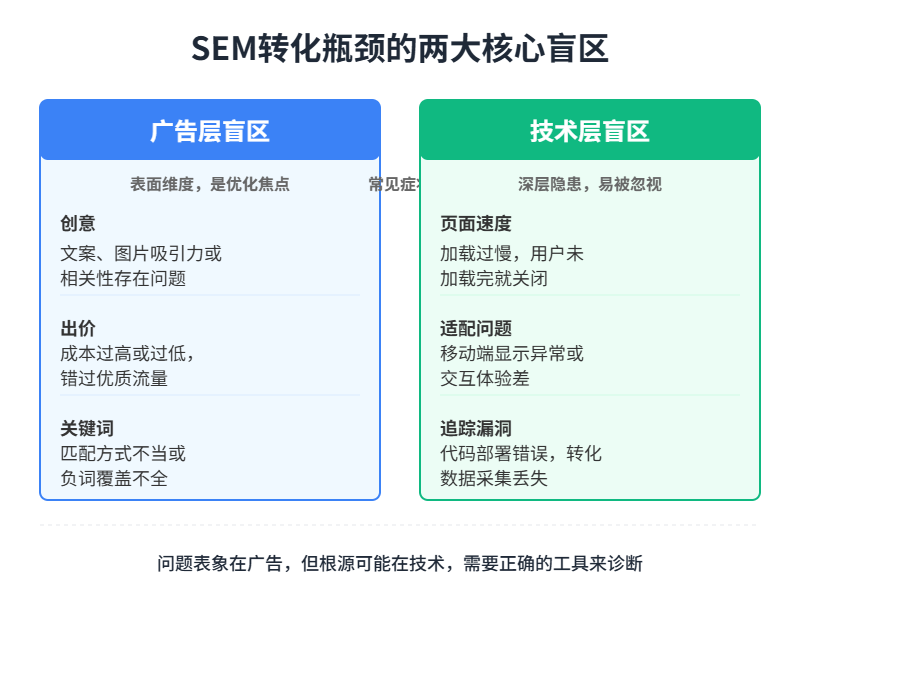
Then we changed our thinking. No longer do optimization based on feelings, but with tools to first “diagnose“ the problem clearly. The education client's page speed optimized to less than 2 seconds, with the heat map tool to adjust the position of the form, the same budget, three months later, the conversion cost directly down 37%.
That's the core of what I'm trying to say--Many SEM placements are ineffective, often not a matter of ability, but a lack of the right tools to diagnose and optimize. The background data of the ad platform can tell you “what happened“, but it's hard to explain “why“ and “what to do“. You need specialized tools to see the search performance, dismantle the competitor's strategy, track user behavior, and fix the technical pitfalls, otherwise you're just shooting arrows in the dark, and the element of luck is too great.
Professional SEM practitioners have a private set of tools in their hands. They will not rely only on Baidu promotion background or Google Ads panel to make judgments, but can use Google Search Console to see their own site in the eyes of the search engine what looks like, with keyword research tools to find competitors did not notice the traffic opportunities, with page diagnostic tools to plug the conversion loophole before the launch. After these tools are used and familiarized, they can help you save at least 30% of your advertising budget - not by cutting out placements, but by spending every penny more accurately.
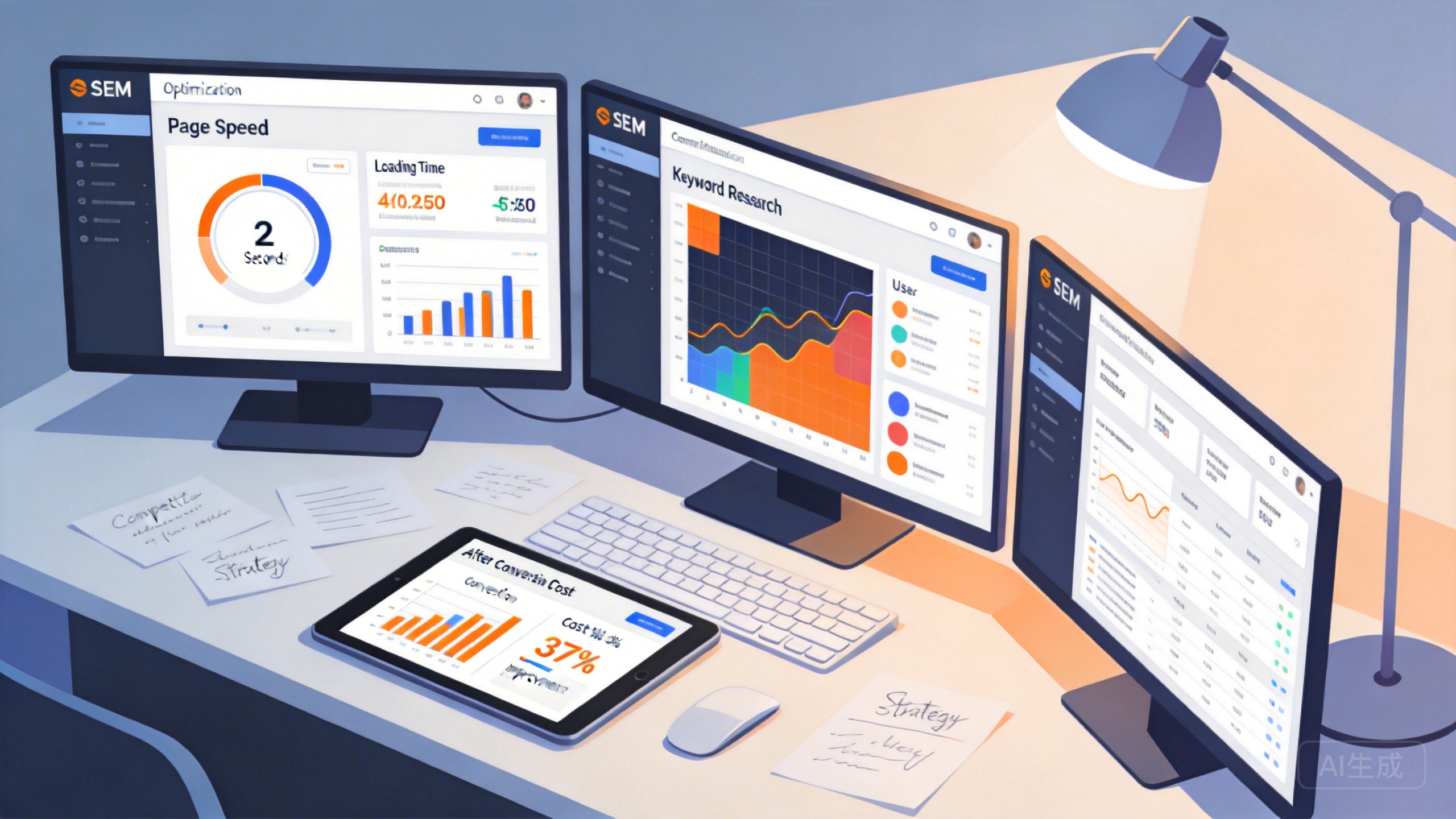
The 7 tools I'm going to cover later in this post are the ones that I've actually used over the years that really do make a substantial difference to placement results. Three of them are completely free and four are paid but value for money. They cover the complete chain from keyword research to technical diagnosis, from competitor analysis to effect tracking. You do not need to use all of them, choose the most critical two or three of their current stage, the effect can be obviously different.
These 7 tools cover the entire process of SEM placement
So how exactly do these toolkits in the hands of SEM professionals come together? Why aren't they just finding the hottest keyword tool and dropping money on the most expensive technical analysis platform?
If you think of SEM placement as fighting a war, then these tools actually have a very clear division of labor. A placement person who is new to search advertising and an optimization expert who manages hundreds of thousands of budgets every day have completely different problems to solve. The former's first task is to figure out where to fight the battle (keyword research), while the latter needs to know the dynamics of the entire battlefield (competitive analysis) and whether their troops are stepping on landmines on the move (technical diagnosis).
To be more specific, a complete SEM optimization cycle should cover at least these seven segments:Keyword Research → Competitive Analysis → Technical Diagnosis → Effect Tracking → Content Optimization → Link Checking → Data MonitoringEach step requires a specialized tool to solve the corresponding problem. Each step requires a specialized tool to solve the corresponding problem, and most of the so-called “magic tools” on the market, in fact, only in one or a few links to do a particularly good job.
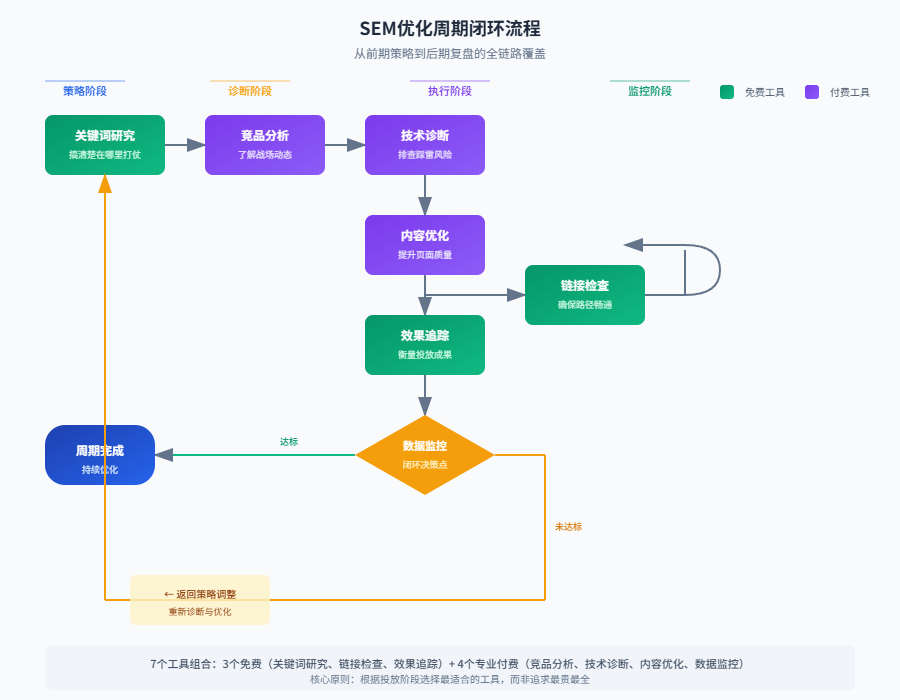
The 7 tools that will be dismantled later in this post were picked according to this logic. Together, they combine just enough to form a full chain of coverage from pre-strategy to post-review. You don't have to feel pressure, 3 of them are free tools provided by Google officially or third parties, for individual webmasters or startup teams, use these first, the effect of the improvement has been visible to the naked eye. The other 4 are professional-grade paid tools, they are suitable for those who have a stable advertising budget and need to achieve a downward strike on the finer data and insights of the team.
But this is by no means to say that the expensive one is the right one. I've seen too many companies that come up with the most expensive integrated monitoring platform for teams with low budgets, and as a result, no one will use it, the functionality is turned on for less than 10%, and the tool ends up as a decoration. What's worse, you may get lost in the cumbersome features and forget the goal of optimization itself instead.True professionalism is not about having all the tools, but about choosing the one or two that are best suited to address the core conflict at the current stage of delivery.
In the next chapters, we'll dive into each tool one by one. I'll tell you what scenarios I think of using it in in real-world placements, what the most irreplaceable part of its value is, and what you need to pay (whether it's time to learn, or money) in order to get that value. Starting with the most basic, and most overlooked, official free tool.
Google Search Console
If you want to make a list of the “most underestimated” SEM tools, Google Search Console (hereinafter referred to as GSC) must be ranked first. It is too basic, basic to many pitchers think “have that time to adjust a few more keywords bid”. But people who really know the business know that this tool is hidden in the Google personally tell you the site in the search world “real state of being”.
The core value of GSC is this: it lets you see how search engines see your site. This is completely different from the direction you define for your own optimization - it's the search engine's perspective that often determines whether or not users will ultimately be able to find you.
Search effect functionIt's the first thing I must look at every day when I open GSC. It's where you can see which keywords are bringing you real clicks, how many times they've been displayed, what your average ranking is, and what the click-through rate is roughly at. The most common mistake that newbies make is to focus only on their preset keywords and then blame the platform when they find that the traffic doesn't go up. In practice, you will find that many of the words that bring traffic are not in your plan. These “accidental traffic” is often the next optimization direction - they have been verified that the user has a need, you need to do is to catch these words, optimize the corresponding landing page.
Unlike simple keyword tools, GSC provides data from real user behavior. You can clearly see which pages are taking on the most clicks and which pages have a high number of displays but dismal click-through rates. The latter usually means there's a problem: users see your title or summary, but feel that clicking through isn't what they want. This can pinpoint “content mismatch with user expectations” faster than any other tool.
PageSpeed Insights is an easily overlooked hidden feature in GSC. It scores your page on a scale of 1 to 100 and directly tells you how fast it loads on desktop and mobile. Page speed is not a “plus point”, but a basic threshold that directly affects the ranking and user experience.Google official page speed as one of the ranking factors, and the user experience level, a page that loads for more than 3 seconds, the churn rate will rise sharply. The actual optimization, I have seen too many landing page copy is well written, put the crowd is also accurate, but because the loading is too slow to cause the conversion rate is stuck in a certain value does not go. gsc feeds the answer to this question directly to your mouth, you just need to go to change.
The Technical Diagnostics feature is another hardcore capability of GSC. It can help you check three key things: index coverage (whether Google has included your page or not), crawler crawl errors (what problems the search engine encounters when crawling), and mobile usability (whether your page can be displayed properly on the phone). Any one of these three problems, will lead you to spend out of the SEM budget for nothing - the user searched for your ads, clicked into the page but found that the page can not be opened, the content is truncated, or directly display error. This is not alarmist, I have seen a medium-sized e-commerce site, because the server migration period ignored the GSC crawl error notification, the whole two weeks of paid traffic all wasted on the 404 page.
To summarize, GSC is suitable for all SEM practitioners. Whether you are a pitcher or a professional SEO specialist, this tool should be the one you open most frequently in your daily work. It doesn't help you choose keywords, doesn't write copy for you, but it tells you what's happening in the search engines, what words users actually find you through, and whether your technical infrastructure is secretly dropping chains.
This is the bottom of the official free tool - it does not show off, but it gives every data are true, accurate, directly affect the effect of the placement. Next to introduce another tool, will be in the keyword research level and GSC form a complementary: a tell you “search engine how to see”, a help you to find out “competitors in how to do”.
What's so great about Semrush?
If GSC is the official answer to the question “what do the search engines think of you“, Semrush is the business intelligence station for “what your competitors are doing“. The difference is important - GSC only gives you your own data, whereas Semrush lets you see what's happening across the industry.
I began to use Semrush in depth in early 2024, when I took over the SEM account of an education client, the first three months ROI is stuck at 1:2 can not go. When I was puzzled, a colleague threw me a sentence: “Look at what words the competition is casting, you will have a number. “After that I really understand the value of this tool.
Keyword research: peeking at competitors“ “cards"
The most core use of Semrush is actually throwing in a competitor's URL and waiting for it to spit out a whole list of keywords. It's not some vague industry thesaurus, it's every word that your opponent is actually pitching, actually ranking, and actually getting traffic for. Search volume, level of competition CPC bids, SERP characteristics, all spread out for you to see.
That's how the education client's problem was solved. I found out that the competitor had been pitching a bunch of long-tail terms, a niche variant of “adult education enhancement entry requirements“ - a term I hadn't even considered because our program was all about big terms like “education enhancement“. I didn't even consider this term because our plan was to focus on big words like "education upgrade". Competitors are getting a steady stream of low-cost leads with these terms, and we're still fighting with our peers for bids on the big terms. That's the point of a tool: it helps you see what's beyond your field of vision.
A more useful detail is that Semrush labels the ad history for each word. You can see when your opponent started pitching the word, how many versions of the ad copy have changed, and whether they're still pitching it. What does this mean? It means that you can determine whether the opponent “tried and gave up“ or “has been increasing“. This information is much more valuable than a simple list of keywords.
Ad copy analysis: rival copywriting labs
SEM cast for a long time you will find that writing copy is a job that relies heavily on feedback. But your own account feedback is too slow - a copy runs for two weeks before you can judge whether it's good or bad. semrush compresses this cycle to a few minutes.
Its ad research module allows you to see what your competitors are actually putting in Google Ads, not just the text version, but also what platforms they are putting it on, what additional links they are using, and whether or not they have additional structured summaries. In practice, I'll strip down all of the top three competitor copywriters in the industry and build a “Competitor Copywriting Library“ to see who's testing new angles and who's sticking to the old ways on a regular basis.
One detail is particularly interesting: semrush shows how often opponents' ads are displayed. If a certain copy appears at a high frequency for several months in a row, odds are that the angle is running right. This is equivalent to letting your opponents pay for your tuition to test the market reaction.
Backlink Analysis: Your “People“ Map
This function is easy to be ignored in SEM context, because people always think that links are SEO's business. But in actual placement, have you ever wondered: why the landing page quality score of some competing websites is always higher than yours? A big part of the reason is that their domain authority (Domain Authority) is higher, and the core of authority is backlinks.
Semrush's backlink database lets you see at a glance who's linking to your site, what the quality of the links is, and whether you've lost any links recently. More importantly, you can see where your competitors are linking to you - which industry media outlets are covering them, and which partners are driving traffic to them. This is a complete “network map“, you can follow the map to negotiate the same cooperation.
Domain comparison: when you don't know which way to go
None of the previous features are unusual when singled out, but the real reason Semrush made me willing to pay the annual fee was the **Domain vs Domain** feature.
The operation is very simple: throw your domain name and two or three major competitors together, choose a keyword category you care about, and then look at a visualization of the degree of overlap. This chart will tell you: which words are you are throwing the “red sea battlefield“, which words are rivals have but you blank “opportunity gap“, which words are unique to you but the traffic is limited to the “self-reservation of land “.
I usually turn this on in two scenarios: first, when I do a quarterly review to make sure my keyword coverage hasn't been left behind by the competition; and second, when I'm completely out of direction and let the data tell me where the next optimization battleground is. It doesn't make decisions for you, but quantifies your blind spots and opportunities and lays them out in front of you.
Cost: Expensive and average Chinese experience
With so many benefits, we have to be honest about the price; Semrush's Pro version (the lowest grade) costs around $120 per month, and the annual payment can be a little cheaper, but for students, individual webmasters, or small teams that are just starting out, the price is really not friendly. A more realistic problem is that its Chinese localization is generally done, the interface is in English, and the coverage of some data sources for the Chinese market is not as complete as the global market.
So my judgment criteria is: if your monthly SEM budget is less than 5000 RMB, or site traffic mainly from Baidu rather than Google, the cost-effectiveness of this tool will be discounted. It is not a necessity, but a gas pedal - to help you run faster after you already have the basic ability to place.
When is it worth investing
- Your SEM budget reaches $10k+ per month with a manageable percentage of tool costs
- You're doing Google Ads placement (limited support for Baidu bidding)
- You are in a highly competitive industry that requires constant monitoring of competitor dynamics
- You have a dedicated person or team in charge of SEM and the tools can be used with high frequency
If all of these things are true, Semrush has one of the highest ROIs of any paid tool I've used in the last few years. It doesn't write your articles, adjust your bids, or change your landing pages, but it does the “intelligence“ thing at the top of the industry - letting you know where you stand and see where others are moving.
Of course, even if the intelligence is accurate, someone has to execute it. If the budget is not enough to reach this gear for the time being, the keyword tool to be introduced in the next chapter may be more suitable for you to start - it's free and extraordinarily friendly to Chinese users.
The free version of Üersuggest is also good enough to use
Semrush raises the bar for “intelligence” to $120 a month, but that doesn't mean you have to guess on a budget. When I was helping a startup team cold-launch their product in 2023, they had a monthly ad budget of a few thousand dollars and couldn't squeeze in the tool money. It was then that a friend recommended UbersuggestI've been using it for three days. I used it for three days and found that this tool, developed by American marketing veteran Neil Patel, is free, but in some key aspects, the information given is more direct than Google's official tool, and more friendly to Chinese users.
What exactly do you get with the free version?
The first thing that surprised me when I opened Ubersuggest was that it doesn't require you to tie up a Google Ads account. This means that even if you're just a personal webmaster, or if your ads account hasn't been topped up yet, you can instantly see the keyword search volume, competition level, and average click bids. This detail is important.
Why? Because Google's officialGoogle Keyword PlannerThere is a hidden “threshold”: if your account has no recent active ad spend or historical data, the keyword search volume data it returns will be a vague “monthly search volume range” (e.g., 100-1K), rather than a specific value. This vagueness can be fatal to early decision making, as you can't tell how much traffic a term is worth, and Ubersuggest's free data is relatively clear and specific, telling you roughly 3,200 searches per month for the term, so you can get an idea right away.
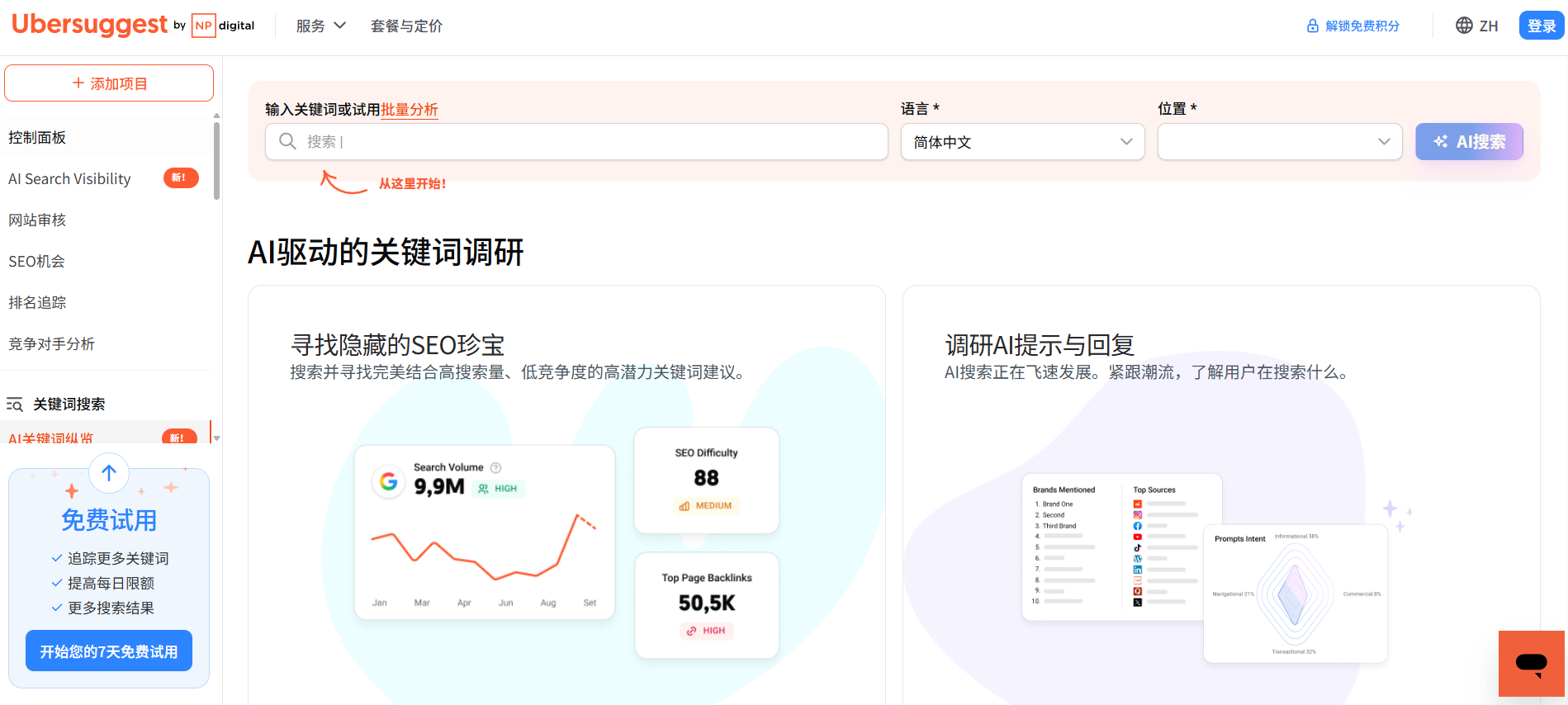
Even more useful is its ability to mine long-tail words. Enter a main word (such as “protein powder”), and it will spit out related long-tail variants from multiple angles: question-type (“what brand of protein powder is good”), comparison-type (“the difference between protein powder and muscle-building powder ”), and purchase type (“how much does protein powder cost in a bucket”). These precise long-tail words are a treasure for content marketing and landing page optimization.
In actual use, I take the long-tailed word list generated by Ubersuggest as a direct selection of the content calendar library. A local domestic service customers, through the layout of a series of “Guangzhou Tianhe District cleaning bellman how to charge” such long-tail words, half a year from the purely paid placement to the “paid + natural search” dual-track drive, the natural flow of leads brought about by the cost is almost zero. The cost of natural traffic leads is almost zero.
It's not a replacement for Semrush, it's a “scout” for specific scenarios.”
It is important to realize that the free version of Ubersuggest does not do the kind of in-depth “business intelligence” work of Semrush. You can't use it to pick up the entire keyword matrix of your competitors, nor can you see the history of the ad copy that your competitors are pitching, nor can you make a panoramic map-like comparison between domains. Its vision is “keyword-centered”, not “competition-centered”.
Its frequency of data updates (usually with a 1-2 month delay) and depth of specialization also determine that it is more suitable for “planning” and “thinking” than “monitoring” and “making accurate decisions”. It is also more suitable for "planning" and "thinking" than "monitoring" and "making accurate decisions". If you want to know a competitor just last week adjusted the bidding strategy of which words, Ubersuggest can not do, but Semrush can.
So, under what circumstances should you choose Ubersuggest over biting the bullet on Semrush?Based on my experience, there is only one core issue to judge by:
“Is my current major conflict a lack of basic direction or a lack of competitive intelligence?”
If you're in the startup phase of a project, the core tasks are: determining what core terms to build content around for a new product, and figuring out what users in a brand new market are actually searching for. At this point, the free, intuitive, long-tail word mining ability of Ubersuggest, is enough. It can efficiently help you complete the “from 0 to 1” market scanning.
But if you're in the growth phase, the central question becomes: why are my competitors converting at a lower cost than me20%, and what new creative directions are they testing these days? At this point, you need the kind of “competitive intelligence” that Semrush provides, and Ubersuggest just doesn't cut it.
For example, if you use Ubersuggest to analyze “CRM software,” you'll get a list of related keywords, whereas with Semrush, you type in Salesforce's URL, and you'll see that it's focusing on the concept of “CRM for small and medium-sized businesses,” and its main tagline has changed in the past three months from “powerful” to “easy to use. ”And its main tagline has changed in the last three months from "powerful" to "easy to use". The latter is the message that allows you to really understand the competitive landscape.
Who uses it best?
- Individual webmasters and content creators: No advertising budget, reliance on natural traffic and content realizations.Ubersuggest's free keyword research feature is the most cost-effective starting point for building a content SEO system.
- Startups or small and micro teams: SEM has a limited monthly budget (e.g., less than $10,000), and every penny should be spent. Use free tools to feel the pulse of the market first, and then upgrade to professional tools when the business runs smoothly and the budget increases.
- Content or SEO specialists in large organizations: With enterprise-level tools like Ahrefs or Semrush already in-house, Ubersuggest can serve as a quick, lightweight, long-tail-inspired supplemental tool that doesn't take away from the query quota of the main tool.
Of course, Ubersuggest also has a paid plan, providing more keyword suggestions, ranking tracking and other advanced features. But for users with 90% or above who just want to “get reliable entry-level keyword data for free”, the free version already covers the core needs.
💡 tip: The free version of the keyword list is a valuable “asset”. It is recommended to regularly create your own keyword knowledge base by putting high-potential long-tail terms into an online document or table, labeling them by topic, search intent, and estimated competition. This way, even if your account access is limited in the future, you will still be able to produce content efficiently with your accumulated “old money”.
To summarize.If you've read the chapter on Semrush and feel that it's a “heavy weapon” that you can only afford to use if you've got a certain amount of money, then the Ubersuggest is the Swiss Army Knife for you. It's not responsible for long-range fire coverage in a war, but it can help you with most of your daily needs while camping - sharpening wood, opening cans, and turning screws. When starting out on a tight budget, this knife may be more useful than you expect.
Mastering keywords is just the beginning; knowing how users find you using those words and what they do on your site is the next part of the process that determines the success or failure of the placement. This requires the intervention of another type of tool.
Google Analytics do you really know how to use it?
After doing your keyword research, you finally know what words users are searching for to find you. But then the next question pops up: did the user really come? What did they do after they came? How long did they stay? Did they complete the action you expected?
The question.Google AnalyticsCan answer.
To say that it is the boss in the field of website traffic analysis is no exaggeration. More than 30 million websites around the world use this tool, and almost every practitioner with placement experience has touched it. But those who can really use it to solve real problems are probably less than half. Most people's usage is still stuck in the “open the background, see how many visitors came today” stage - this is like buying a fancy camera, but only use it to take headshots.
Bounce rate and time on page are the metrics you should be keeping an eye on.
UV and PV are certainly important to look at, but those are just the most superficial numbers. What can really help you diagnose the problem is user behavior data. Bounce rate tells you: the user clicked in to look at a glance and go, it means that your landing page either does not match the search intent, or loading is too slow, or the content is not attractive at all. I've seen too many placement accounts, keyword selection is not a problem, the bid is reasonable, but the landing page of the bounce rate as high as 70% or more, the advertising cost in this moment burned into a silent cost.
Dwell time is also critical. A visitor who spends 3 minutes on your “Service Description” page is a very different person than one who spends 10 seconds. The former may actually be evaluating your program, while the latter may be looking for an exit. The combination of these two metrics will help you determine which pages are really retaining your target audience and which pages need to be re-polished.
Setting goal conversions is a critical step in turning data into action.
One of the most useful features of Google Analytics is that it allows you to customize “goals”. Common goals include: users submitting a form, clicking a customer service button, completing a purchase, downloading information. By setting these behaviors as conversion goals, you can really answer the question: which of my channels brings in users who are most likely to complete the action I want?
For example, you run two ad campaigns, one for “branded terms” and one for “industry generic terms”. From the traffic point of view, the generic term brings more visitors; but from the conversion point of view, the final purchase rate of the brand term channel is 3 times that of the generic term. This data does not set the target conversion, you can not see. Many SEM pitchers optimize the account only look at the amount of clicks and consumption, think “more clicks is good”, ignoring the quality of the final conversion, the result is that the budget spent a lot, ROI is miserable.
The free version has enough features for most small websites. Basic behavioral reports, channel analytics, goal conversion tracking, all these core capabilities are in the free version. But if your website has more than hundreds of thousands of monthly activities and needs more granular user segmentation, cross-device tracking, or customized reports, then the paid version of GA4 does provide more powerful data processing capabilities.
A common misconception to be especially warned about: focusing only on UVs and PVs.
Many newbies will take “how many people came” as the only measurement. But UV and PV is high, does not mean that the effect is good. An e-commerce site cast the keyword “cheap bluetooth headset”, the user clicked in to find that you are selling high-end headphones, and immediately left - this click is counted in your traffic data, but it is worthless to your business. What you need to look at is how much of this traffic completes the real meaningful action of registering, adding purchases, and placing orders.
Google Analytics and Google Search Console work in tandem and are the most proven way to play the game.
These two tools are often mentioned together, but they solve very different problems. Google Search Console tells you: what words users searched for, how your page performs in search results, and how the search engines perceive your site. It answers the “search side” of the question. Google Analytics to answer the “site side” of the question: the user came to go to which page, in each page to stay how long, and ultimately there is no conversion. The former helps you optimize the search side of the exposure and clicks, the latter helps you optimize the website side of the experience and conversion. The two clues together, you can see the whole picture of SEM placement.
After mastering user behavior data, the next thing to address is: how to make the content itself better able to take on this traffic. This requires the intervention of another type of tool.
Yoast SEO, an old-school plugin that can still hit the
Using Google Analytics to see where you're losing users, but there's a more front-loaded question: isn't your content itself losing out on the starting line before users are even forced out? I've seen too many people - the title is stuffed with keywords, the body of the text is written in a smooth way, but it is not ranked. The problem is often in the details: keyword density is out of balance, internal links are forgotten to add, images don't have alt attributes, paragraphs are breathtakingly long. It's not that these mistakes can't be done, it's that they simply can't be remembered after too many pages.
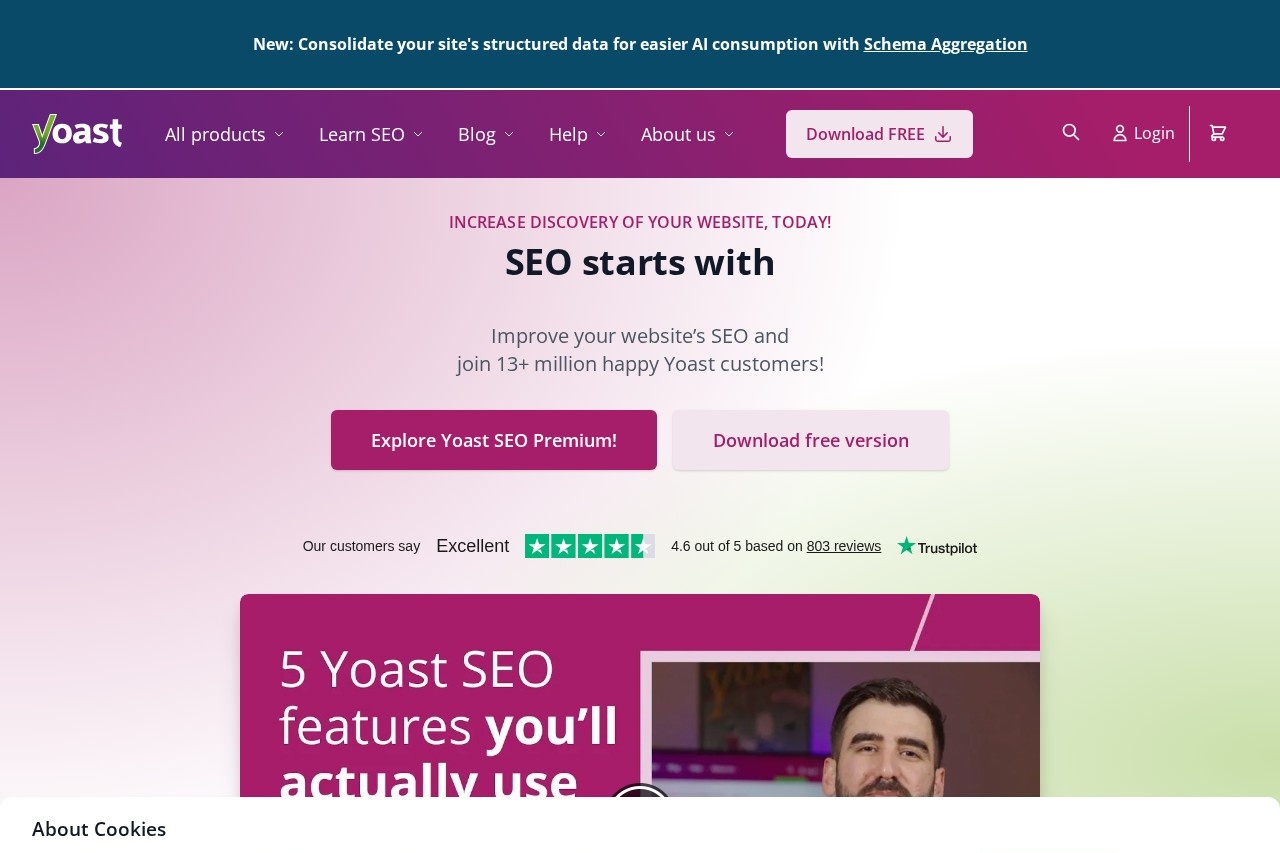
WordPress users have a unique advantage:Yoast SEOThe plugin has been loaded more than 10,000 times in the official repository. This plugin has been loaded more than 5 million times in the official repository, and the coverage of Chinese sites is especially high. It's not a black hat artifact, it's a nagging butler sitting next to your editor, telling you in real time where it's wrong and how to change it.
The most intuitive feeling is the “traffic light“.
Yoast's SEO Analytics panel hangs to the right or below while you're writing an article. A red light means there are obvious deficiencies at the SEO level, a yellow light is a bare pass, and a green light is a pass. The design is extremely clever - it turns the abstract “search engine friendliness“ into a list of actionable items. For example, it will remind you: “Your focus keyword appears 0 times in the title” “Your meta description is more than 160 characters long and will appear incomplete in the search results” “This article is only 200 words, it is recommended that a minimum of 300 words to get good results. 300 words to get a good ranking”.
These reminders are not esoteric, but they are exactly what is most likely to be missed when manually checking. I have a friend who is a local service website, he wrote more than 30 landing pages with “Shanghai+service words“, but the ranking never went up. After installing Yoast, he realized that more than half of the pages forgot to appear in the first paragraph of the target keywords, and a few H1 and title tag duplication - this kind of low-level error can not be 100% avoided by experience, especially when the mass production of content.
Readability analysis is another underrated feature.
Many people think that SEO is all about stacking keywords, but in fact search engines have long introduced user experience signals. Yoast's readability test calculates the length of your paragraphs, the length of your sentences, the frequency of transitions, and the proportion of passive voice. If it determines that your article “needs more subheadings to split long paragraphs“, or “three consecutive sentences beginning with the same word“, these suggestions directly correspond to the real behavior of users: too dense text block let people directly close the page, and then the best keywords! layout is useless.
In practice, I've noticed a pattern: when Yoast's readability indicator turns from red to green, the average dwell time on the page usually improves by 10%-15%. It's not plugin magic, it's that it forces you to slice and dice your content into units that the user's brain can digest.
The automation of technical SEO is handled out-of-the-box by non-technical people.
XML sitemap automatically generated and submitted to search engines , robots.txt configuration by rule , breadcrumb navigation structured data a key to open , canonical tags (canonical) automatically deal with duplicate content - these originally need to know the code or hire developers work , Yoast in the background! Yoast has done it silently in the background. You don't even need to know what “breadcrumb navigation“ is, as long as the switch is turned on, the search engine will be able to understand the hierarchical structure of your website.
But in all honesty, that's as far as Yoast can go.
Its sense of boundaries must be stated clearly: non-WordPress users go straight around. If you use Shopify, Wix, self-hosted frameworks, this plugin doesn't exist. alternatives outside of the WordPress ecosystem with similar functionality are Rank Math or the SEO Module for Indie Sites, but that's another story for another tool.
At the functional level, Yoast is a “basic“ tool. It can ensure that you do not make low-level mistakes, but do not give Semrush that level of keyword strategy advice, and will not be like Search Console to tell you how Google actually index your page. Let's say: Semrush is the chief of staff, to help you develop a battle plan; Yoast is the quartermaster, to ensure that you go on the battlefield with enough ammunition, shoelaces tightened.
Who is it for?
Three types of people have the most obvious benefits: first, independent bloggers and content operators, with a large amount of output per day, need an automatic checklist to prevent quality fluctuations; second, small and medium-sized business owners who build their own WordPress sites and do not have the budget to hire SEO specialists, Yoast is the equivalent of an entry-level technology outsourcing; third, outsourcing teams to do batch site building, use Yoast to unify the output standard, reduce the Delivery defect rate.
On the flip side, if you're already doing deep on-page optimization audits with Semrush, or have a full-time technical SEO to take care of code-level issues, Yoast's value is diminishing at the margins. It solves the problem of “getting to 60“, not “getting from 80 to 95“.
After the quality of content over, the next latent risk point is often hidden in the details - those users can not point to the link, pointing to the 404 dead-end button, is silently eroding your conversion rate and search engine trust. This type of problem does not rely on the naked eye can check the end, the need for specialized technical tools on the field.
Check My Links resolves hidden link problems with one click
Yoast SEO helps you make the content of your articles watertight, but another technical vulnerability of your website - bad links - are like cobwebs in the corner, which you usually don't see, and which stick to your hands as soon as the user touches them. I have encountered the worst situation is: a well-prepared product guide article, because the body of an early reference to a third-party blog link fails, the reader clicks on the jump to a 404 page, the sense of trust instantly to zero. More deadly, Google's crawler will also follow these “broken road” to go through, when it frequently encountered access errors on your site, it will default to the site's maintenance status is not good, the authority of the natural discount.
The most primitive way to solve this problem is to scan the entire website for links through a code tool. However, this requires technical skills and re-scanning every time you update your content is too inefficient to create a regular check. For the vast majority of content operators and pitchers, we need a lighter, plug-and-play solution.
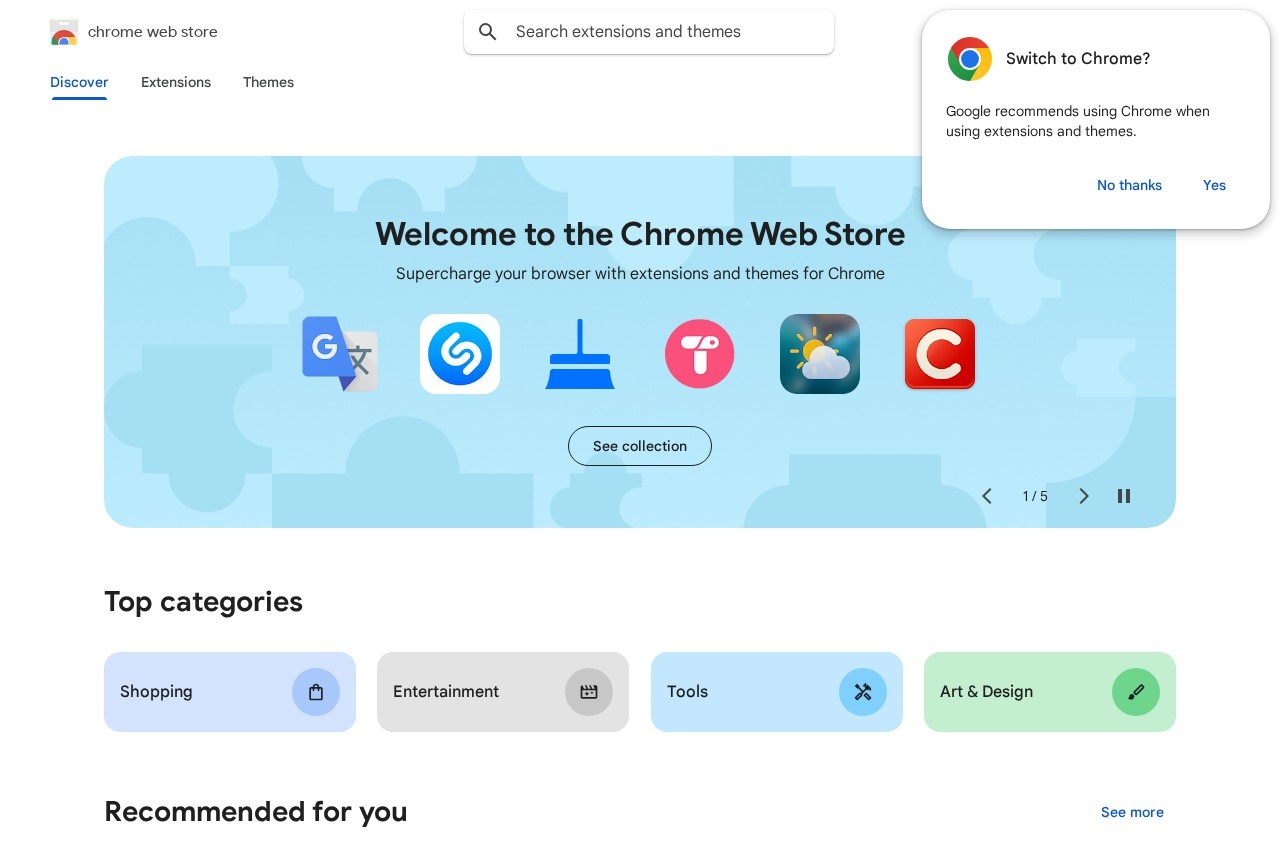
Check My LinksIt's made for this scenario. It's a browser extension plugin, and after you load it into Chrome or Edge, you open up any web page you want to check, click on the plugin icon, and in a few tens of seconds it takes all the links on the page - both internal and external links - and -inspected all over again. Valid links are highlighted in green and bad links are marked in red, so you can see them at a glance.
Its value lies not in the complexity of its functionality, but in the fact that it makes a boring task that “has to be done, but no one wants to do it” painless and instant.
The most typical usage scenario is before content is published. After writing a blog post or landing page, use Check My Links to go through it before hitting the “Publish” button. My own habit is, any article with more than 10 outbound links, will do this action. At the end of last year, our team was preparing to publish a year-end review of the industry, in which more than 40 friends and media pages were cited. In the last step of checking before publishing, Check My Links uncovered 3 bad links - one of them was a company's product page link had changed, but we were still using the old URL; the other two were references to news coverage pages that had been taken offline. Without this check, the technical flaws in this piece of content would have directly affected its professionalism score.
For medium to large websites with a large number of pages, its value is “life-saving” level. Imagine an e-commerce site that may have dozens of cross-recommendation links on its product detail pages; a content library site that aggregates entries on related topics at the bottom of its articles. It is simply not feasible to rely on manual spot checks. A friend who operates the official website of a B2B enterprise has thousands of pages, with an average of dozens of links per page. After a large-scale website revision, he relied on this plug-in batch spot-checking, in three days to locate and repair hundreds of internal link errors. He said that without this tool, either you have to spend a few weeks to let the developer write a script to slowly check, or you can only wait for users to complain about the slow accumulation of e-mail.
There's a key cognitive point here that needs to be cleared up:Why bad links actually hurt SEM? On the surface, it just keeps users from clicking in. Deep down, it affects two core metrics:gaze duration和Website Bounce RateThe user will most likely close the tab and leave the page. If a link opens to “This page does not exist”, the user is likely to close the tab and leave. This behavior is recorded by Google Analytics as a visit with a high bounce rate. When similar problems are prevalent on your site's pages, search engines consider your site to be unable to provide a smooth browsing experience for users, which is a negative signal in the ranking algorithm.
Bad links also act like a credibility crack. Especially for the precise traffic that comes in through paid search, their intention to convert is very strong. If on your well-designed landing page, a link to “success stories” or “authoritative qualifications” is not working, the feeling of being “cheated” will make him immediately turn to your Competitors. This loss is not something that can be easily measured in advertising dollars.
In terms of cost of access and barrier to use, Check My Links has few barriers. It has a free version, the core link detection function is completely open, for individual bloggers, small teams is already enough. The paid version provides team collaboration Kanban, batch inspection report export and other functions, which is more suitable for marketing teams that need to manage multiple websites or sub-brands in a unified way. You don't need to know any code, install, click, and look at the color, you can complete an in-depth inspection in three steps. The existence of such lightweight tools just shows that efficient SEM optimization is not all about heavy weapons, a smooth scalpel can also solve big problems.
Of course, its limitations must also be made clear: Check My Links is an excellent “detector”, but not a “planner”. It can only tell you which of the existing links on the page are broken, but not which of the existing links are not working.Can't help you spot the chances of “there should be an internal link here but there isn't one”.. It doesn't get involved in SEO strategy development, it doesn't offer keyword suggestions, and it doesn't analyze the weight transfer of links. It is a pure, maintenance-focused quality inspector.
Therefore, in the SEM tool chain, please position it as the last “gatekeeper”. After you use Google Analytics to analyze traffic, Search Console to look at the index, keyword tools to layout the content, optimize the page with Yoast, in the last moment before going online, let Check My Links help you complete a technical level of “clean check”. It guarantees that the results of all your preliminary work will not be wasted because of a low-level technical error.
When you've got tools in place for all levels of content, technology, and data, you're faced with a new question: these tools add up to quite a lot, so which one should I prioritize? Especially in the case of limited budget and energy, how to combine to maximize efficiency?
Which ones should I choose?
You may have noticed that 4 of the 7 tools I recommend are already free.This means that you can build a complete SEM optimization system even without spending a penny.
If you're on a tight budget right now, just copy this combo:Google Search Console to see search performance, Google Analytics to see user behavior, Üersuggest to find keyword opportunities, Check My Links to check link qualityThe data of these four tools are connected. The data of these four tools through, is a complete chain from “how users search” to “how users do”. I talked to some small teams, they use this free combination to support a whole year, account health and optimization efficiency is not lost to paid players.
Of course, the boundaries of free tools are clear: you can only look at yourself, not your competitors. If you are the kind of pitcher who “must know what words your competitors are pitching and what price they are offering”, the ceiling of free tools will soon reach the top.The logic of upgrading when you're on a budget is clear: add Semrush for competitive intelligence and Yoast SEO to handle content optimization for WordPress sites on top of the free portfolio. Semrush's domain comparison feature, which I've talked about in detail before, helps you quantify your keyword overlap with the competition and points out opportunity gaps directly.Yoast's value, on the other hand, is that it nests SEO checks into the writing process, which is appropriate for the pace of operations where you have to post content every day.
There is also an important selection dimension ofby stages. Don't rush to buy and buy and buy in the startup phase, the free tools are enough to save your experience. I've seen too many people start the Semrush annual fee right away, only to have their accounts bought and left there to eat dust - without even understanding the basic usage of GSC. After you have an income and a stable placement model, then shell out for paid tools, the decision will be much more rational.Tools serve experience, they are not used to pretend experience.
In turn.Select Tools by RoleAlso very key pitchers deal with every day is the effect of data, Search Console and Analytics is just needed; content operations every day to write scripts, Üersuggest long-tailed word mining and Yoast's real-time feedback is the most smooth; technical SEO to do in-depth audits, Semrush's crawler analysis and backlink tracking is the main battlefield. You do not need to use every tool on the hand, find their own weapon while in hand, more effective than fiddling with seven knives at the same time.
One last word:The more tools you have, the better; become proficient before expanding. I've seen people subscribe to five or six tools, the results of a did not really use through, the account is full of data, look at the end or do not know what to do next.SEM is a hands-on work, you play a tool out of the flower, enough to do a good job of many decisions. Enough to move first.
The right tool for the right placement is the only way to flip the switch
If you read this, you should have understood: SEM placement effect does not go, many times it is not a problem of ability, is the lack of the right diagnostic tools. No data can not be optimized, no insight can only be in a black box of trial and error - money burned, even their own defeat in which do not know.
The value of these 7 tools is that they cover the complete chain from keyword research to results tracking; Google Search Console tells you what search engines think of your site, Google Analytics tells you what users do when they come to it, Semrush and Üersuggest help you find gaps in competition, and Yoast and Check My Links polish the content and technical details into place.Every link is documented and every adjustment is directed.
My advice:Pick 1-2 of these 7 right now and get started right away. Don't be greedy, don't wait until you're “ready to start“. GSC and Analytics are free, sign up and you can use them; Üersuggest doesn't require a credit card to check keywords. You can spend half an hour validating GSC tonight and see your site's search data tomorrow - once the feedback loop is up and running, the optimization action will naturally follow.
Tools are just infrastructure.The real flip-flopping happens in a continuous optimization and data-driven process. I've seen too many people buy a bunch of tools, the data look at the end of no follow-up. SEM's core ability is not to “know how to use the tool“, but “from the data to see the problem, validate the hypothesis, iterative strategy“ - - this closed loop for you to start, but you have to run through. -This closed loop, tools to help you start, but you must run through.
If you're stuck on a specific tool or want to chat in depth about a certain scenario (like “What if I have a high bounce rate?“).Feel free to let me know in the comments section. The 7 tools in this article are just the starting point, the real way to play is honed in the real world.
Now, pick a tool and turn it on. Put in the flop thing and start today.
