


The site is not indexed, in the end, what is the problem
Open the Google search box, enter “site: your domain name“, enter only to see a few lonely results, or even a blank - this scene is not déjà vu? Or you in the Google Search Console coverage report, see a large blinding red “not indexed“ status, the page is clearly published, the crawler also seems to come, but they just can not enter Google's index library.
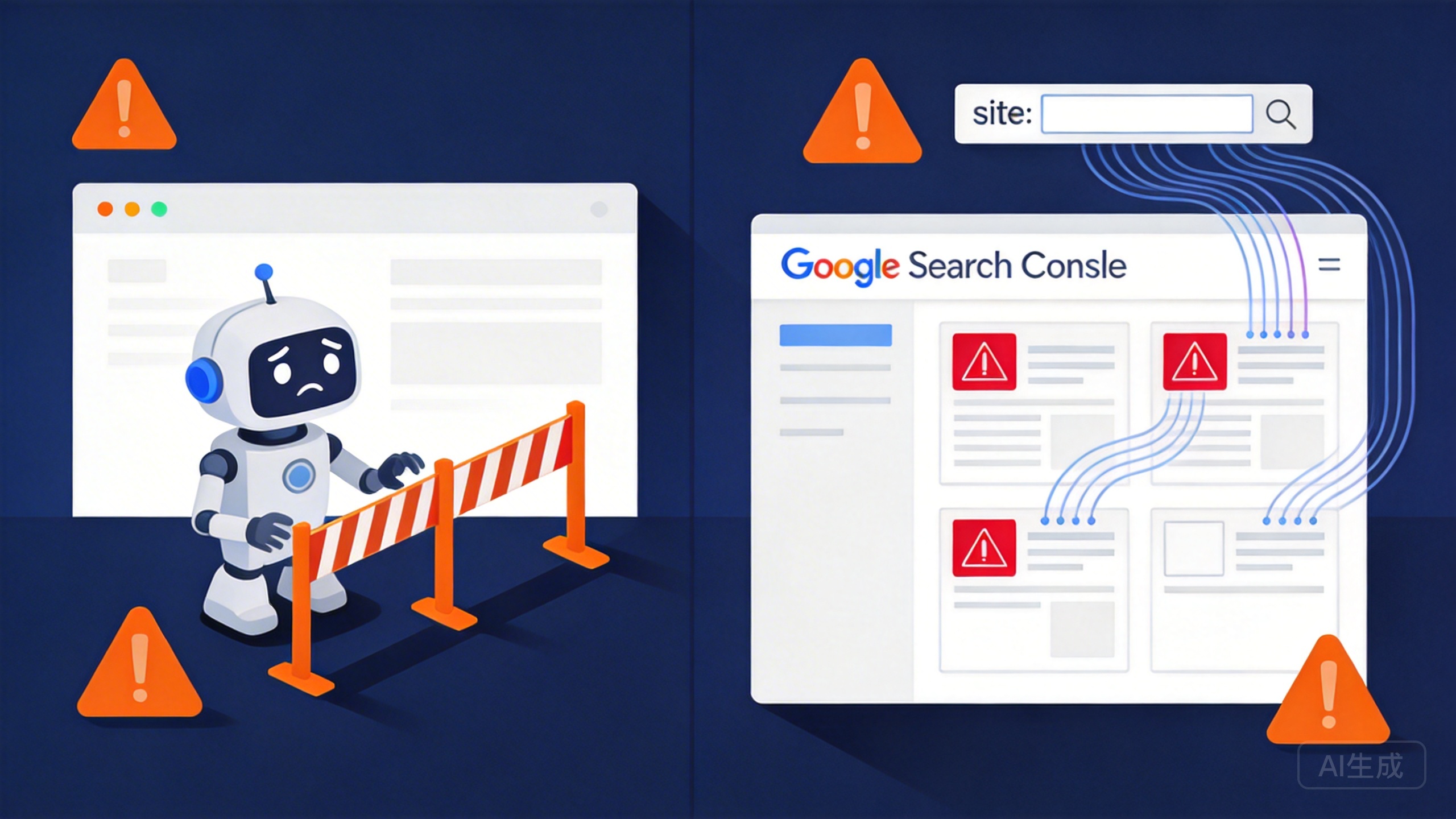
But before you start to change the crazy title, stack of keywords, first stop. You need to first figure out whether you are dealing with “not indexed“ or “indexed but not ranked“. These two problems look like in the search results can not find their own sites, but the reasons behind and the solution path is completely different. Not included is Google has not seen your page, or seen after the refusal to put into the index library; and included not ranked is Google has your page into the index, just do not think it is worth showing to the user. The former is the technical or content threshold problem, the latter is the value of the competition. If you do not rank as not included to cure, it will be futile to modify the content structure, but ignored that they are not even formally crawled by the crawler; on the contrary, if you do not include as not ranked, and will blindly wait, wasting time in the wrong direction.
How can I tell the difference? Use the site command. If site: domain name can not find a URL, or GSC shows “not included“ “found - not yet indexed”, that is not included. If site command can find the page, but with the target keyword search a few pages can not find their own, that is a ranking problem.
Confirmed is not included after, do not east a hammer west a mallet row. Many people come up to rewrite the content, but did not realize that they set the noindex tag; or busy sending external links to attract spiders, but do not know robots.txt has long blocked the crawler. Check to have order: first check the most easily ignored technology shield (robots.txt and noindex tag), these deletions will be able to immediate effect; then check the quality of the content, Google's tolerance for empty pages and spam content is extremely low; and finally check the server error and URL problems, 404, soft 404, redirection of dead chain of these technical errors will be a waste of your crawl quota. In this order, you can avoid “change the content only to find that the technical shield“ of futility, but also to prevent “technical problems repaired, but the content is not pass“ of the miscarriage of justice.
The next step is to start checking out the most insidious technical blocking - many times it's not that Google doesn't want to take your site, it's that you've closed the door yourself.
Check these two places first: robots.txt and page meta tags
Now you have confirmed in the Google Search Console page is indeed not included, but also with the site command to verify - not indexed did not show, is not included at all. The next step is to check in order, the first to check is the most easily overlooked technical blocking.
Robots.txt is the first thing Google crawlers look at when they enter your website. This file is placed in the root directory of the site, which is written in the crawler which can catch, which can not catch. If you write a Disallow:/Page Path/, equivalent to the door hung a block of “No Entry“ sign, the crawlers look directly after leaving, not even into the door.
The problem is that many sites online template comes with this rule, and then changed the theme, changed the structure, no one remembers this thing. I have seen the most wrong case is an enterprise station, all product pages are robots.txt shielded for three months, the webmaster has always thought that the quality of the content, crazy change the description, the results of the more changes in the ranking of the worse - no one to catch, change to who see?
So the first step, directly in the browser address bar, enter your domain name, followed by /robots.txt, enter. Look inside there is no Disallow this line, followed by your page path. If so, congratulations, this is the root cause. The solution is also simple: delete that rule, or comment out the entire line (preceded by a # number), and then go to Google Search Console request to re-crawl.
The URL Checker tool is a more accurate way to do this. Open GSC, find the page that's not indexed, click “Check URL“, and the tool will tell you what Google saw the last time it tried to crawl it - including whether it was blocked by robots.txt. This information is more reliable than looking at robots.txt yourself, because the tool reflects what Google actually encountered.
After checking robots.txt, next look at the noindex tag in the page source code. This is more straightforward than robots.txt: even if a crawler gets in the door and sees noindex written in the meta tag, it turns around and walks away, and doesn't even try to include it.
Check method is very simple: open the page is not included, in the browser right click “view page source code“, search for “noindex“. If you see or, the problem is found. This label is usually the background of the enterprise station SEO settings can be checked, some CMS systems will give you the default hook, more people are slippery point wrong.
The solution is equally simple: go into the background and turn that switch off, or just delete the line of code and submit it for re-inclusion.
These two problems to solve is the simplest in the book - do not have to change the content, do not have to send external chains, do not have to adjust the structure, change may be a few minutes to see the effect. But because it is too simple, many people simply do not know their own site buried in these pits, check half a day to the quality of the content on the guess, a waste of time troubleshooting.
After confirming that the technical blocking is lifted, we go to the next step - if the page is not blocked by robots.txt and noindex, but still not included, it means that the problem is in the quality of the page itself.
The quality of the page is not good enough, Google simply does not include it
Technical shielding excluded, the next to see whether the page itself reached the minimum threshold for inclusion. Google's tolerance for empty pages is much lower than you think - if the page content is too little, thin information, the crawler will be crawled directly after the determination of “worthless content! “and do not enter the index library.
The definition of too short content is very specific: the body of less than one hundred words, only fragmented information listed, or the existence of the page, but there is no substantive content. Many sites in order to get together the number of pages, batch generation of dozens of product category page, each page only two or three sentences to describe the page, this page in the eyes of Google is “empty page“. A more insidious situation is dynamic loading failure - the page frame is still there, but the core content is not shown, the crawler captured is a blank.
Even more dangerous than “not indexed“ is the “Indexed without content“ status. This means that Google did index the page, but determined that it was spam. This status does not appear in the unindexed report, but is labeled separately in the “active pages“ category of the coverage report. It means that Google thinks that your site is producing low-quality content, which may drag down the ranking of the whole site. I have seen a case: an e-commerce site batch online two thousand only product images, no text description of the page, three months after the entire site ranking decline, the root cause is that these “empty shell page“ is marked as Indexed without content, resulting in Google reduced the trust of the entire domain name! The reason is that these "shell pages" were labeled as Indexed without content, which caused Google to lower the trust score of the whole domain.
⚠️ take note of: Indexed without content status is hidden in the Google Search Console coverage report in the “active pages“ category, it seems to have been included, but in fact, it is Google's yellow card on the quality of the site warning. Batch generated empty shell product pages and image detail pages are most likely to trigger this mark, if you do not clean up or enrich the content in a timely manner, within three months may lead to the whole site ranking cliff decline.
Check method is very simple: open the page that is not included, copy the body part to the Word document to see the word count. If less than one hundred words, or the content is only “product name + price + buy button“ and such fragmented information, you need to expand. But be careful, the solution is not to make up the word count. I have seen people put “very good“ “good” “recommended to buy” this meaningless words repeated ten times, the number of words is enough, but Google still judged as low quality.
The right thing to do is to find your core keywords and look at the top three competitor pages in Google search. Open them up and see what value people are offering - is it a detailed comparison of product parameters? Is it graphic illustrations of usage scenarios? Or is it an aggregation of user reviews? Make a list of these elements, and then compare them to your own page and fill in what's missing. Not to copy, but to understand “what degree of content is considered complete“. For example, if the competitor has written a tutorial on grinding degree adjustment, cleaning and maintenance guide, and advice on adapting to different beans, but your page only has price and parameters, then it has not reached the threshold.
- Use the URL Checker tool to confirm the coverage report of the page and exclude the “Indexed without content” status.
- Copy the body of the page into an editor, such as Word, and run a word count to make sure it is less than 100 words.
- Determine whether the page content is a fragmented list of “product/service name only + short price/description + buy/contact button”.
- Search in Google with the core keywords, open and analyze the top 3 competitor pages and list the core value they provide (e.g. tutorials, comparisons, rating aggregation, etc.).
- Against the list of competitor analysis, check for leaks for your own page, add missing key content modules (instead of simply piling up meaningless text).
- Submit a “Request Recapture” for the page in the Google Search Console.
- Wait 48 hours for the coverage report to return and verify that the page status has changed from “Found - Not yet indexed” to “Crawled - Not yet indexed” or “Indexed ”.
How do I verify after the fix? Submit to Google Search Console to request a recrawl, then wait 48 hours to see the coverage report. If the status changes from “found - not yet indexed“ to “crawled - not yet indexed“, it means that the length of the content has passed this hurdle, and Google is evaluating other factors. If it directly shows “indexed“, congratulations, the quality threshold has been crossed.
But sometimes the page content has obviously filled to two or three hundred words, the structure also refers to the competition, or not included. At this time do not rush to continue to add content - the problem may not be in the quality level, but the server or the URL itself has a technical error, the crawler simply did not crawl the page completely. This is the turn of the next step in the troubleshooting.
Server Errors and URL Issues are Blocking Crawlers
The content quality validation has passed, the page is as full as you think it should be, but Google Search Console still shows that page as being of dubious status. Don't rush back to change the content - the problem may lie at a more technical level: the crawler simply didn't crawl the page in its entirety.
The most direct signal is the obvious error status at the top of the detail page of the non-included page in Google Search Console's “URL Check” tool. If it's a server response issue, this will clearly tell you “Server error (5xx)” or “Page not found (404)”. These errors have nothing to do with the content, they are physically preventing the crawler from accessing it.
The first thing to check is 404.
You surely know what a 404 is: a page does not exist. But when it comes to actually troubleshooting, you'll encounter two different scenarios:
- The page is indeed deleted, but the reference to the URL remains in the sitemap or in links to other pages on the site. Crawlers follow these links to find that the target is gone. This is a typical “dead link” problem.
- The URL itself is misspelled. It may be an entry error on the line, or the URL rules may have changed after the revamp, but the old links were not updated. This is especially common in URLs that have capital letters, special characters, or contain Chinese characters, where a slight difference of one letter makes the page impossible to find.
The fix is simple: if the page has been deleted and there is a new address corresponding to it, set up a 301 redirect; if it's just completely deleted, make sure to remove the URL from the sitemap and related internal links.
But there's a big hole here that a lot of people step into:Soft 404 (Soft 404)。
The HTTP status code clearly returned 200 (OK), but Google decided it was a 404 error and directly marked it as not included. Crawlers think they can catch the content, the result is either an empty shell, or because of script loading failure to show a blank.
The cause of a soft 404 is insidious:
- Server-side file loss or database connection failureFor example, the page template is there, but the data table is broken. For example, if the page template is there, but the calling data table is broken, the only thing that renders is the frame and a bunch of “data not found” messages.
- Search results are emptyYou have an onsite search page. You have an onsite search page where the user searches for a non-existent term and the server returns 200 normally, but the content area says “Sorry, no results found”.
- JavaScript rendering failure. The site is built on Vue or React and the core content is loaded asynchronously. If the script isn't running when the crawler requests it, it won't catch any text content.
- Too little page contentThe previous step has already ruled out the deliberate creation of “empty pages”. In the previous step we have ruled out deliberately created “empty pages”, but there is another case: the page has content, but because of the style of the problem is hidden, or wrapped in the "read more" folded block, the crawler can not be recognized.
⚠️ take note ofSoft 404s are easy to overlook - even if the page displays properly in the browser, crawlers may see blank or incorrect content, and it's essential to regularly check for “indexed but no content” alerts in your GSC coverage reports.
A soft 404 is more troublesome than a hard 404 because it masquerades as a normal page. You have to use Google Search Console's URL checker to look at the “coverage” details, and if the “snapshot” that Google takes doesn't match the content of the page that you see with your naked eye, that's basically it. The solution is to check server logs, make sure the database connection is working, do server-side rendering of core content, and don't hide key information in elements that require interaction to expand.
Next up is something more serious: server errors (5xx series).
Imagine a crawler comes to your page and your server crashes, is unresponsive or returns “500 Internal Server Error”. Crawlers flopped, but also in your “crawl quota” in the record of a failed visit. The quota is limited, and wasting it on errors means less opportunity to include good pages.
A 5xx error usually means that the server is unstable:
- The site was overloaded, the crawler came right at the peak of traffic and the response timed out.
- Intermittent downtime due to faulty server hardware or software configuration.
- The backend program is buggy and crashes when it encounters a specific request.
To deal with this problem, the first action is to go to the Google Search Console's “Check URL” tool to see if the error message is still there. If the error has disappeared, immediately submit a manual “request for indexing”, so that Google can re-crawl as soon as possible. If the error is still there, look at the server logs and find a record of the failure at that point in time. It may be necessary to upgrade the server configuration, or fix the back-end code.
- Check Google Search Console's URL checking tool to make sure the page is not flagged as a 404 or 5xx server error
- Check the server logs to locate the exact point in time when the 5xx error occurred with the cause of the failure (timeout/crash/configuration issue)
- Compare the Google crawl snapshot with the actual page to confirm the existence of a soft 404 (status code 200 but content is empty/missing)
- Check your firewall and security rules to make sure that you are not mistakenly blocking legitimate crawler IPs whose User-Agents contain Googlebot.
- Test the redirection link to make sure that there is no dead loop, the number of jumps is ≤2 and the URL length does not exceed the 2MB limit.
- Confirm that the redirection end page really exists and the content is complete, not 404 or other error state
- Check whether the deleted pages are still in the sitemap and internal links, remove them or set up 301 redirection in time.
- After fixing the problem, submit a “request for indexing“ in Google Search Console and verify the status after 48 hours.
There is another point that is often overlooked: check that your security rules or firewalls are not accidentally hurting Google's crawlers (User-Agents containGooglebot). Sometimes websites block some IP segments in order to prevent malicious crawling, and if you accidentally block Google's legitimate crawler IP as well, the result is predictable.
The final technical minefield is: the redirection link problem.
For page migration or URL beautification, setting redirects is a routine operation. But a poorly set redirect can become a pit.
There is a limit to how much the crawler will tolerate redirects:
- The redirection chain is too long.. For example, A page redirects to B, B and redirects to C, C and then to D ...... After four or five jumps, the patience of the crawler is exhausted, it will directly give up, no longer pass the link weight.
- redirect dead endA redirects to B, which redirects back to A. The crawler falls into an infinite loop until it times out.
- URL length exceeded. Google Chrome has a length limit for URLs (about 2MB). If your redirect link is spliced with huge long parameters that exceed this limit, it will also fail.
- The redirect chain is interspersed with a 404. Redirecting from A to B, but the page B no longer exists. This is the same as leading the crawler from one dead end to another.
The essence of redirection is to tell visitors and crawlers, “What you want moved here, please follow me.” But if the path is long and winding, or even ends up in a wall, the crawlers won't want to deal with you. The solution is to “simplify”: compress multiple layers of redirects into a single direct jump (A → final page C), and make sure that the page at the end of the jump is real and complete.
🔗 Related resources: Google Search Console - URL Checker
Google's official webmaster tools for checking page indexing status, crawl errors, page submission, etc., is the core tool for troubleshooting inclusion problems.
Fix all the technical errors at the server and URL level, and submit a recrawl using GSC's URL Checker. If the status changes from Error to “Crawled - not yet indexed” or directly “Indexed”, it means that the technical obstacles have been removed.
But what if GSC shows a status of “Found - not yet indexed” or “Crawled - not yet indexed”? Technical errors have been ruled out, Google did see the page, why it is not put into the index library? This involves Google's internal crawl queue and page value assessment mechanism, which is our next step to figure out the logic.
Google finds it but doesn't index it, two states to be distinguished
After troubleshooting server errors and URL issues, Google Search Console shows that the page status is neither 404 nor 5xx, but rather “Found - not yet indexed” or “Crawled - not yet indexed ”. Technical level has been no problem, but Google still did not put this page - these two statuses look similar, in fact, represents Google's internal two completely different processing logic, you have to distinguish clearly.
Let's look at the status “Found - not yet indexed”. It means that Google's crawlers found the link to this page, may be in the site map, may be in other pages in the internal links found him, but not yet had time to crawl. Why not come to crawl? The most common reasons areCrawler queue full。
Google's crawlers don't work indefinitely. Every website has a “crawl quota” - you can understand that there is a limit to the amount of resources Google is willing to spend crawling your site each day. If your site has a lot of pages, or there are a lot of new pages online, the crawler will put some of the pages it feels less urgent to the back of the queue. You understand to go to the hospital registration line on the line: found you this number, but the caller has not called you.
This is especially common on new sites or sites that have just massively updated their content. You've worked hard to write dozens of pieces of content, submitted your sitemap, and Google sees the links, but crawling takes time. It's not that it's not crawling you, it's queuing up.
Another state is “crawled - not yet indexed”. This and the last one is fundamentally different: the crawler has come to the page content grabbed away, but Google's indexing system to determine the quality of this page is not enough to qualify for the time being not put into the index library.
The easiest thing to misunderstand here is that the fact that the crawlers are coming means that the technical aspects are fine; but the fact that the indexing system doesn't think the content is good enough means that theLevel of value judgmentIt hasn't gone through yet. Let's say your resume is in the hands of HR (capture complete), but HR doesn't feel you have enough experience for the position (not hiring for now).
Why is this happening? You need to check several dimensions against each other:
Whether the body of the page is complete. If the page was dynamically rendered in JavaScript and the script didn't run when the crawler crawled it, it may have only caught an empty shell. This may have been discovered in the previous step of troubleshooting server errors, but if you weren't paying attention at the time, it's not too late to fill in the blanks.
Whether there is duplicate content on the page. If you have a large part of the entire site page structure similarity is very high, only a small amount of text is different, Google will think that the existence of these pages of value is limited - anyway, the content is almost the same, the inclusion of one is enough, the other is not necessary to put in. This is a typical “content homogenization” problem.
The authority of the page is not enough, Google will not only look at the content itself, but also look at the page in the overall site “status”. A deep page from the home page need to click seven or eight times to get to, and a home page on the key recommended page, in the eyes of Google's weight is completely different. If the internal link of this page is not enough to support the external link is not, it is judged as “not important” probability is higher.
Here's the kicker: neither of these statuses is an error, it's not that there's something wrong with your site. They are just that Google has not released you for the time being in the process. The first thing you should do when faced with this situation is not to be anxious, but to make sure that the page itself is not hardwired.
It's easy to check: go back to the Google Search Console and use the “URL Check” tool to see the details of the page. If the tool shows “Crawled - Indexed”, it means that Google is already working on it, just that the coverage report hasn't been updated yet. If the status is still “Found” or “Crawled” but with a specific reason (e.g., “Duplicate Page”, “Thin Content”, etc.), then you've got a good idea of what's going on. "), then you know which direction to go.
If it doesn't show any negative reasons and just hangs untouched, there is one thing you can do:Manual request for re-inclusionIn the URL Checker, there is a “Request Indexing” button. In the URL checking tool there is a “request to be indexed” button, click on it is the same as telling Google "this person can not wait, please come back to see". This action is not guaranteed to take effect immediately, but it will speed up Google's re-evaluation.
There is one more thing to be reminded: there is no way to predict the recovery time of these two statuses. If it's fast, you'll see the status change to “indexed” in a few days, but if it's slow, it may take two to three weeks or even longer; Google's indexing database has its own updating rhythm, and it doesn't just change immediately when you click on a request.
During this wait time, instead of repeatedly refreshing the GSC to see the status, you should go back and check it:The page itself is not included in the directive questionFor example, is the noindex tag mistakenly added to the page source code? For example, the page source code is not mistakenly added noindex tag, robots.txt is not the page directory shield. If these are not, then there is no need to toss again - the do have done, the rest is to wait for Google to judge for themselves.
Waiting is waiting, and you can continue to do what needs to be done: optimize the quality of content on other pages of the site, increase internal link support, and get some high-quality external links - all of these actions will ultimately and indirectly help to improve the probability of this page being indexed.
When the page status finally becomes “indexed”, congratulations, this page has passed the first threshold of inclusion. But don't celebrate - being indexed doesn't mean ranking. In the next chapter, we'll talk about a more critical concept: effective pages.
A set of methods to verify that your troubleshooting is working
After troubleshooting robots.txt, noindex tags, content quality, server errors, and indexing status, you got your hands dirty changing a few things and deleting a few blocking directives. Now the question is: how to know these operations really work? Dry waiting for Google to catch next time is obviously not the way, you need a set of real-time verification methods to confirm that the problem has been resolved, rather than wasting time in guessing.
First learn to check real-time data with the site command
Open the Google search box and typesite:你的域名(e.g.site:example.com), enter and you will see how many of your pages are currently indexed by Google. This number looks very intuitive, but many people look at the wrong point - the search page at the top of the display “found about XXX results“ is not accurate, that number is an estimate, including a lot of duplicates and filtered entries.
What really works is to turn to the last page. Click the page number navigation at the bottom of the page, always point to the last page, then the top of the page number is displayed on the number of your current real included. For example, you point 10 pages, 10 results per page, the top display “page 10“, the actual number of valid pages is about 90-100 or so. This method can help you grasp the real-time Google index library in the actual situation, rather than looking at a vague estimate.
Why the emphasis on real-time? Because there is a significant data delay in the coverage reports in Google Search Console. If you fix a robots.txt shield today, it may take two or three days for the GSC to update the status, or even a week before the data is still being updated on a rolling basis. If you rely entirely on background reports to determine the effectiveness of the fix, you may misjudge that the problem is still there, or miss the signal that it has been fixed. site command does not have such a delay, what you changed, a few hours later with the site command to see the change.
Accurate validation of individual pages with URL checker tools
If you've only fixed a specific page - such as a product detail page that was mistakenly blocked by the noindex tag - you don't need to wait for the entire site to update. Go straight back to the Google Search Console and use the “URL Check“ feature.
Drop the repaired URL in and hit enter. The tool will show you the status of the last time Google crawled the page. If you see “URL is on Google“, the fix has taken effect and Google has indexed the page. If it still shows “found - not yet indexed“ or “crawled - not yet indexed“, first check the source code of the page to confirm that the noindex tag is indeed deleted cleanly, robots.txt does not block this path. After confirming that there is no error, do not wait for Google to catch next time.
💡 tip: After fixing a single page, it is recommended to wait for it to be re-crawled and “discovered” by Google, and then click “Request to be indexed” if the status is still “Discovered - not yet indexed” after 24 hours. If the status is still "found - not yet indexed" after 24 hours, then click "request to index", so that you can utilize Google's limited daily re-crawl quota more efficiently.
Must proactively request re-inclusion after fixing
Many people fix technical errors thinking that Google will find them automatically, only to wait two weeks for the status to change. The problem is that Google's crawler has a crawl quota limit, and it won't immediately revisit the page you just fixed, especially those URLs that were previously flagged as errors or low priority.
The correct action is to find the “Request Indexing“ button on the results page of the URL checker and click on it. This action is equivalent to skipping the queue and telling Google “I've fixed this page, please take a look at it now“. Usually within 24-48 hours, Google will re-crawl and update the indexing status. If you fix a large number of pages, prioritize the request for those core pages (home page, main product page, high traffic articles), so that the important content is indexed first.
When verifying, we should pay attention to the distinction between two concepts: included and valid pages. site command to find the number of “included“ - Google puts the page into the index library; but these pages can not be displayed in the search results, depending on whether they are “valid pages“. You fix the technical error, the page is included, but if the quality of the content is still not good, it may just lie in the index library to eat dust, do not generate search traffic. That's why verifying inclusion is only the first step; next you need to focus on whether those included pages are actually participating in the rankings.
When you see the number of valid pages in the site directive increasing, the error status in the GSC turning green, and the URL checker showing “indexed“, the validation process has closed the loop. You have confirmed that the troubleshooting and fixing is effective, the only thing left is to replicate this method on other pages throughout the site, rather than blindly trial and error in the dark.
Check in this order and most of the non-inclusion problems can be solved
Troubleshooting to this point, you should already have a list in hand - robots.txt blocking to remove a few pages, noindex tags checked and removed, some empty product description pages filled with content, the server's occasional 5xx error contacted the host provider to solve the problem. Next don't be in a hurry to throw a bunch of these changes all over the site and sit back and wait for traffic to go up. There's a more efficient sequence of actions that will allow you to see clear feedback on each step, rather than tossing things around over and over again in confusion.
Step 1: Start with the fastest-fixed technical issues, validate one, pass one
Remember the order of the previous chapters? Now turn it into an implementation checklist: deal with robots.txt and page meta tags first, then assess content quality, then address server and URL errors, and finally focus on indexing status. The underlying logic of this order is that technical blocking is an absolute impediment, content quality is a relative assessment, and you must clear the absolute hurdles first.
When you modify the robots.txt file by deleting the lineDisallow:After the command, don't jump to the next step. Immediately use the verification method mentioned in the previous chapter: open GSC's URL checker tool, enter that unblocked URL and see the status. In the fastest case, you will see the change in half an hour. Confirm that it has changed from “Excluded (Blocked)” to “Found” or something else, and the technical fault is closed. Usesite:If the URL is a core page, you may immediately see an increase in the number of valid pages. Technical fixes have the shortest validation cycle and the fastest feedback, so fixing them first will give you immediate positive feedback on your troubleshooting efforts.
- Check the robots.txt file to remove the Disallow: directive from blocking core pages.
- Check the source code of the page to make sure you have removed the noindex meta tag that was added by mistake.
- Supplement the content of blank or low-quality pages, ensuring that each page has at least 200 words of original description
- Troubleshoot and fix server 5xx errors, contact your hosting provider if necessary to resolve them
- Verify the status of the repaired pages one by one using the URL checker tool
- Verification page changed from “Excluded (blocked)“ to ”Found“ or “Indexed“
- Use the site: command to query the number of sites indexed and confirm that the number of valid pages has increased.
- Click “Request Indexing“ for core fixes to speed up Google's recrawl.
- After confirming the increase in the number of inclusions, understand that the traffic has not risen is a normal phenomenon (need to enter the ranking optimization stage)
- Change error status from red/yellow to green on a case-by-case basis against the GSC coverage report
Step 2: After fixing a session, immediately verify the effectiveness of the session
This is the most common mistake many people make: finding all the problems, spending a week to modify them all, and then verifying them. This leads to two problems: first, you don't know exactly which modification worked; second, if the indexing doesn't increase in the end, you have to start from the beginning again with a blind guess.
The right approach is linear, but step-by-step. For example, if you've added 200+ words of original description to all of your “Indexed without content” pages. Once you've done that, don't run off to fix 404 errors, but stop for a while. Use the URL Checker tool to test a few of the pages you've added content to and see if the incorrect description of the page disappears from the GSC. Open Google again and use thesite:Instructionally search for the title of a page you've added content to (you can put it in quotes and search for it exactly) and see if it appears in the search results. This verifies that your “content enrichment” has actually caused Google to reassess the value of the page.
Step 3: Understand the difference between “inclusion” and “effective display”, don't confuse the issue!
When you follow the order of the entire troubleshooting process, site instructions show that the number of included pages increased by 20%, but the traffic report does not move. This time do not panic, this is likely to be a normal phenomenon. Included (Indexed) only means that your page into Google's database, into a “candidate”. But whether it can be displayed in a certain search term (Ranking), into a “valid page”, depending on the content and link weight.
A typical scenario: your product page is finally included, but when searching for core keywords, it ranks after the fifth page. This is because the page although there is no technical problems, but the content and hundreds of other similar pages are highly homogenized, does not provide new information or a better experience, Google naturally has no reason to rank it to the front.
Therefore, when all the technical investigation is completed, the traffic did not rise, your investigation focus needs to shift from “inclusion” to “ranking optimization”. This is not a failure, but into the next more sophisticated optimization stage. Don't go back at this time to modify the noindex tag, it will only bring you back to square one.
Step 4: Remember the core principle - address the “yes” before considering the “no”.”
Many people read SEO articles, once they find that the site is not included, the first reaction is “my content is not too bad”, and then invest a lot of time to rewrite the article, optimize the picture. Often, the root cause is a failed redirect chain that was planted years ago, or a spelling error in the sitemap that caused the entire batch of URLs to be ignored.
The pragmatic principle you need to adhere to is to use this methodology to ensure that your site is not “broken” before investing any resources in content optimization. Technical problems are like holes in a water pipe, and content optimization is about increasing water pressure. If the hole isn't plugged, trying to increase the pressure will only cause the water to drain faster. Only to confirm that robots.txt is open, the server is stable, the URL is clean, you pay for the content of every effort, will be Google complete crawl, fair assessment, and ultimately accumulated into an effective search weight.
Now, you can go back to Google Search Console, open the coverage report, and compare each step we've taken, from “wrong” to “effective”, and watch the red and yellow flags that represent problems turn green one by one. This process in itself is the best validation of your decision-making and execution skills. You've mastered the art of creating order out of chaos, not just memorizing a few scattered SEO tips.
